
WordPress continues to evolve, and one of its most impactful updates in recent years is Full Site Editing (FSE). This feature allows users to design and customize every part of their website using a visual, block-based interface. From headers and footers to templates and page layouts, everything can now be managed without relying heavily on code or third-party page builders.
In 2026, FSE is no longer an optional aspect for serious theme development. The introduction of theme.json version 3, Pattern Overrides, and enhanced performance optimizations have made block themes faster, more flexible, and easier to use than ever before.
In this blog, we will explore what WordPress block themes are, how they differ from classic themes, and take a detailed look at the top 10 block themes for Full Site Editing in 2026. We will also discuss why FSE is becoming the preferred choice and how you can select the right block theme for your specific needs.
Contents
- 1 What Are WordPress Block Themes?
- 2 Classic Themes vs Block Themes: What is Different?
- 3 Top 10 Block Themes for FSE in 2026
- 4 How to Choose the Right Block Theme
- 5 Need Help Implementing a Block Theme?
- 6 Conclusion
What Are WordPress Block Themes?
WordPress block themes are the latest generation of themes built specifically for Full Site Editing. Every part of your website, from headers and footers to page templates and sidebars, is constructed using blocks. This represents a fundamental departure from classic themes, which rely on PHP templates and the WordPress Customizer.
Block themes use HTML templates and a configuration file called theme.json instead of traditional PHP template files. This approach makes themes more accessible to non-developers while providing powerful customization capabilities through the Site Editor interface found at Appearance > Editor.
Classic Themes vs Block Themes: What is Different?
The distinction between classic and block themes goes beyond just the editing interface. Classic themes use PHP templates like header.php and page.php, require the WordPress Customizer for styling, and often depend on page builder plugins for advanced layouts. Many popular themes like Astra, GeneratePress, and Kadence still use this classic approach.
Block themes, on the other hand, use HTML templates with block markup, leverage theme.json for global styles and design tokens, and provide full visual editing through the Site Editor. Everything is block-based, no separate Customizer, no widget areas, no menu management screens. Just blocks, all the way down.
In 2026, WordPress is clearly shifting towards block-based design. While classic themes will continue to be supported, block themes are receiving the majority of development attention and new features. Core Web Vitals performance, mobile responsiveness, and modern design capabilities all favor the block theme approach.
Top 10 Block Themes for FSE in 2026
1. Twenty Twenty-Five
(Source: WordPress)
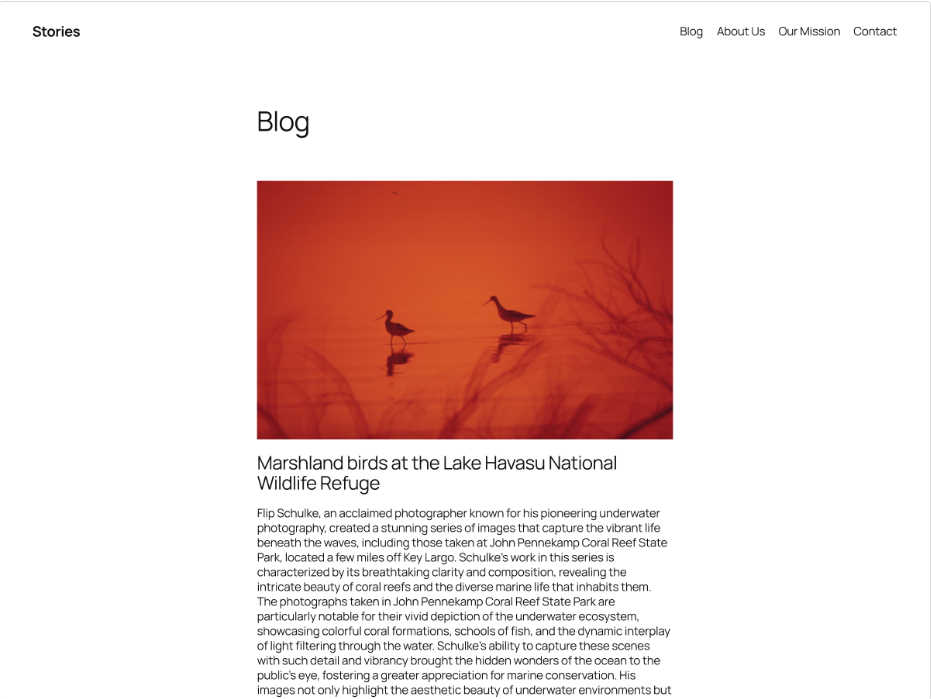
Twenty Twenty-Five is the official default WordPress theme for version 6.7 and beyond, built to showcase Full Site Editing capabilities. It includes over 70 block patterns covering sections like About, Contact, Hero, Services, and complete page layouts. The theme offers 9 style variations with distinct color palettes and typography, featuring the modern Manrope font.
It introduces advanced features such as Zoom Out view, enhanced border and shadow controls, and improved typography pairing. Designed for flexibility, it supports most post formats and adapts easily to different website needs.
Best Use Cases
- Personal blogs with diverse content formats
- Creative portfolios showcasing multimedia work
- Online magazines with multiple layout requirements
- Business websites needing flexible design options
- Content creators using varied templates (text, image, video)
Pros
- Free and included with WordPress core
- 70+ pre-built patterns for faster design
- Regular updates and official support
- Strong community and documentation
- Highly versatile across industries
Cons
- Can appear generic without customization
- Basic design may need additional styling
- Learning curve for beginners in FSE
- Some patterns are too simple for advanced users
2. Spectra One
(Source: WordPress)
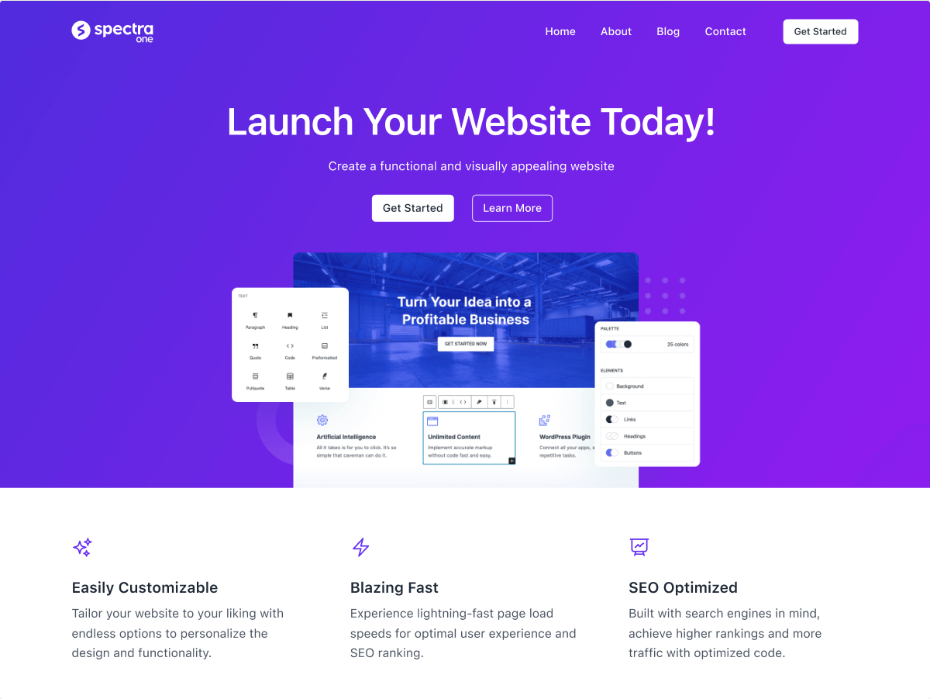
Spectra One is developed by Brainstorm Force, the team behind Astra, and focuses on performance and clean design. It uses vanilla JavaScript to load resources only when needed, improving speed significantly.
The theme offers 9 global style variations and includes WooCommerce-ready layouts. It integrates seamlessly with the Spectra plugin for advanced blocks and patterns. With strong ratings and growing adoption, it delivers a professional website-building experience without heavy page builders.
Best Use Cases
- High-performance blogs
- Business websites with a modern design need
- Portfolio sites for creatives
- WooCommerce-based online stores
- Users transitioning from Astra to FSE
Pros
- Excellent speed and performance optimization
- Backed by a trusted development team
- WooCommerce-ready layouts
- Beginner-friendly interface
- Clean and professional design
Cons
- Requires the Spectra plugin for full potential
- Smaller pattern library compared to competitors
- Still evolving in the FSE space
- Limited advanced customization without add-ons
3. Ollie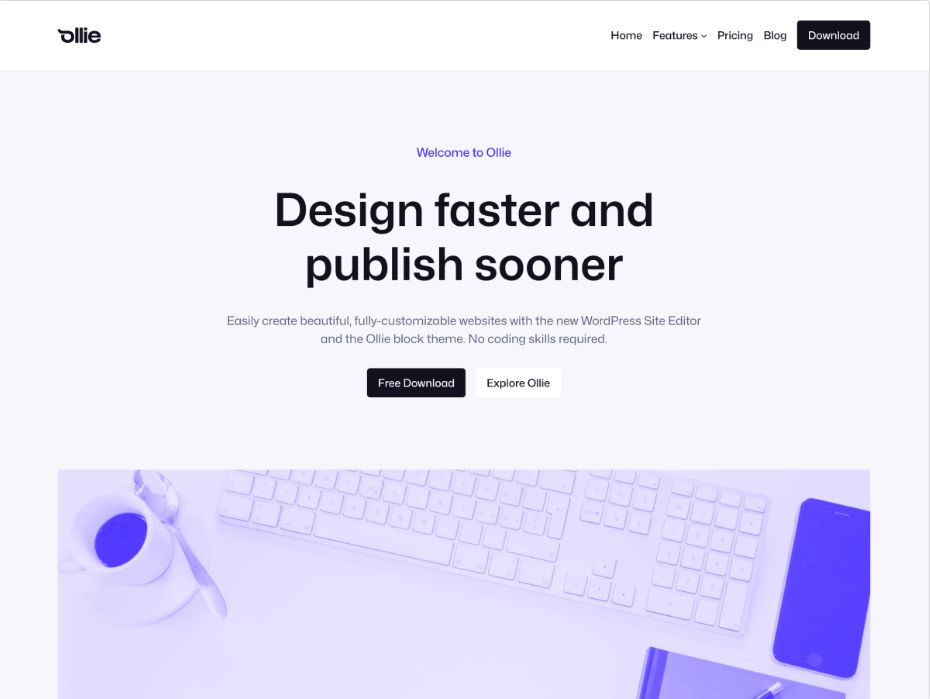
(Source: WordPress)
Ollie is a lightweight and visually appealing block theme designed for ease of use. It features an onboarding wizard that helps users set up branding, colors, and layouts quickly. The theme includes 21 style variations and a growing library of patterns.
It also offers detailed video tutorials, making it highly beginner-friendly. Available in both free and premium versions, it balances simplicity with modern design.
Best Use Cases
- Freelancer and personal portfolio websites
- SaaS and startup landing pages
- Small business websites
- Beginner users learning FSE
- Clean and minimal blog designs
Pros
- Excellent onboarding experience
- Beginner-friendly with tutorials
- 21 style variations
- Lightweight and fast
- Modern and polished design
Cons
- Full features require the premium version
- Design may feel opinionated
- Smaller user community
- Limited eCommerce-specific features
4. Blocksy
(Source: WordPress)
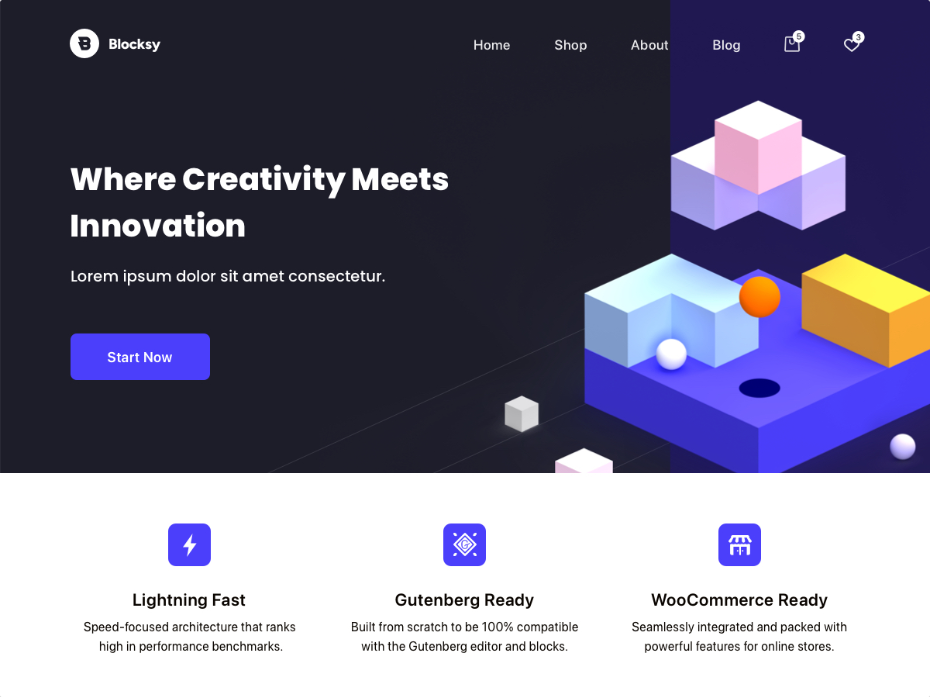
Blocksy is a highly popular WordPress theme with over 300,000 active installations and a strong reputation for flexibility. It offers advanced customization options, including layout controls, color palettes, and typography settings. The theme integrates well with WooCommerce and major plugins.
The companion plugins of this theme enhance functionality with starter sites and extensions. Built with modern technologies, Blocksy supports both traditional and block-based workflows.
Best Use Cases
- WooCommerce and online stores
- Agency and business websites
- Blogs with dynamic content
- Membership and subscription sites
- Users needing deep customization
Pros
- Large user base and strong reputation
- Advanced customization features
- Excellent WooCommerce integration
- Compatible with major plugins
- Regular updates and improvements
Cons
- Can be overwhelming for beginners
- Requires a companion plugin for full features
- Some features are premium-only
- Slightly steeper learning curve
5. Neve FSE
(Source: WordPress)
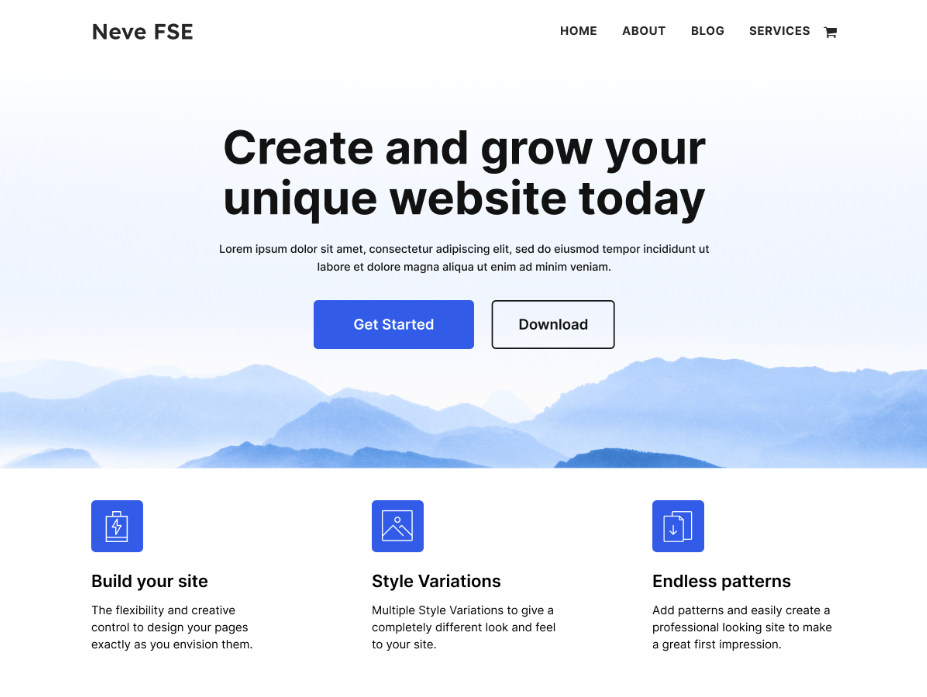
Neve FSE is the Full Site Editing version of the popular Neve theme by Themeisle. It is built in collaboration with the WordPress team to ensure long-term compatibility. The theme includes 48+ patterns with multiple layout options for headers, footers, and pages.
It maintains Neve’s reputation for speed and lightweight performance. It also works well with the Otter Blocks plugin for enhanced functionality.
Best Use Cases
- Small business websites
- Agency and freelancer portfolios
- Corporate websites
- Responsive blogs
- Client projects requiring easy editing
Pros
- Fast and lightweight performance
- Backed by a trusted brand
- Good pattern variety
- Works well with Otter Blocks
- Easy transition for existing Neve users
Cons
- Limited patterns compared to competitors
- Best performance with the additional plugin
- Slightly business-focused design style
- Less design flexibility than premium themes
6. Greenshift
(Source: WordPress)
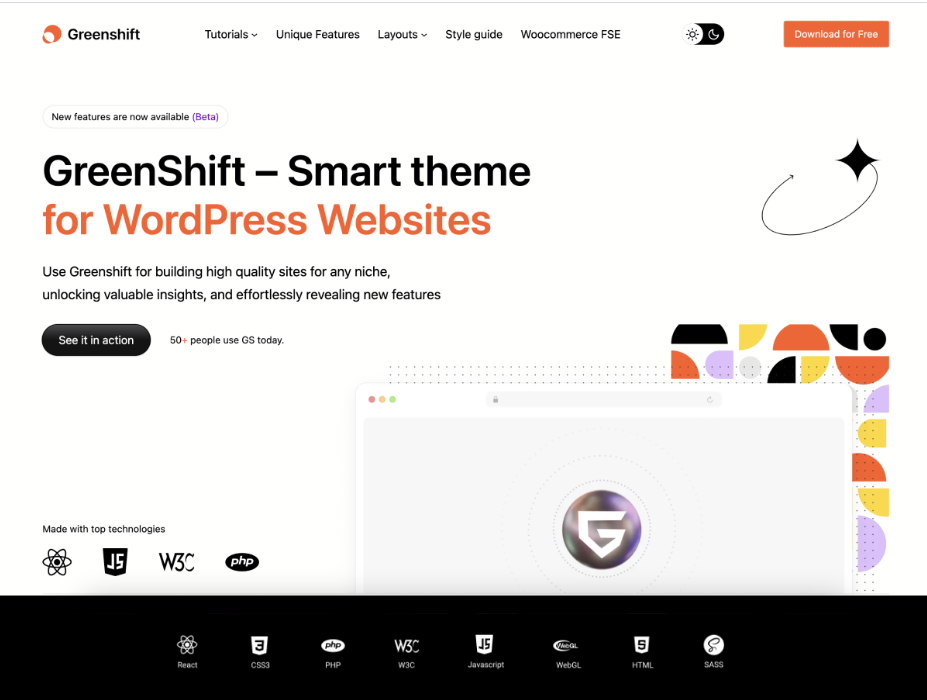
Greenshift is a performance-focused block theme built for creating interactive and animated websites. It includes over 46 patterns and supports both light and dark styles. The theme enables advanced layouts, animations, and dynamic content.
It works best when paired with the Greenshift plugin, but remains functional on its own. Designed for creative professionals, it combines performance with visual impact.
Best Use Cases
- Creative portfolios with animations
- Marketing and landing pages
- Product showcase websites
- Agency and design studios
- Interactive business websites
Pros
- Strong animation and interaction features
- Performance-optimized design
- Supports dynamic content
- Unique visual capabilities
- Flexible layout options
Cons
- Requires a plugin for best results
- Learning curve for animations
- Not suitable for simple websites
- Risk of overusing visual effects
7. YITH Wonder
(Source: WordPress)
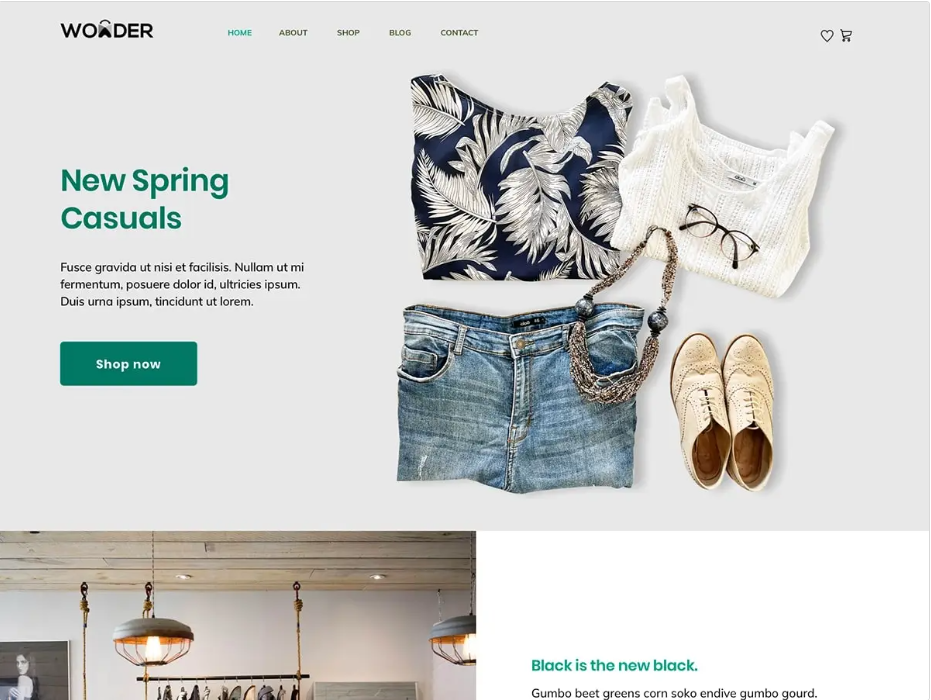
YITH Wonder is an eCommerce-focused block theme developed by YITH, known for WooCommerce plugins. It includes ready-made templates for product pages, cart, and checkout.
The theme is fully responsive and integrates deeply with WooCommerce. It also works seamlessly with YITH’s plugin ecosystem. Designed for online stores, it offers strong functionality with easy customization.
Best Use Cases
- WooCommerce online stores
- Product-based businesses
- Dropshipping websites
- Multi-vendor marketplaces
- Businesses using YITH plugins
Pros
- Built specifically for eCommerce
- Free with strong features
- Seamless WooCommerce integration
- Responsive and user-friendly
- Regular updates
Cons
- Limited to non-eCommerce websites
- Works best within the YITH ecosystem
- Smaller general pattern library
- Less flexible for blogs or portfolios
8. Gutenify
(Source: WordPress)
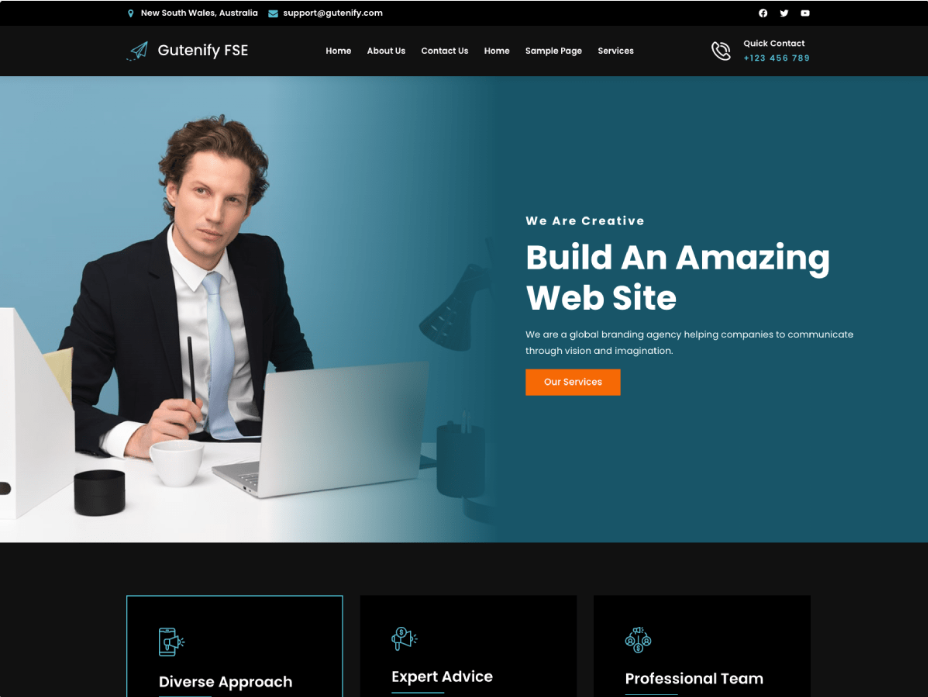
Gutenify offers a unique ecosystem of 40+ niche-specific block themes. Each theme is designed for a particular industry, such as healthcare, fashion, or education. It includes multiple style variations and tailored block patterns.
All themes are free, with additional features available through the Gutenify plugin. This approach allows users to quickly build industry-specific websites.
Best Use Cases
- Industry-specific business websites
- Startups needing a quick setup
- Service-based businesses
- Niche bloggers
- Budget-friendly website projects
Pros
- 40+ niche-specific themes
- Free to use
- Industry-focused templates
- Wide variety of designs
- Scalable with plugin support
Cons
- Requires a plugin for full functionality
- Quality varies across themes
- Can feel template-driven
- Smaller individual pattern libraries
9. Extendable
(Source: WordPress)
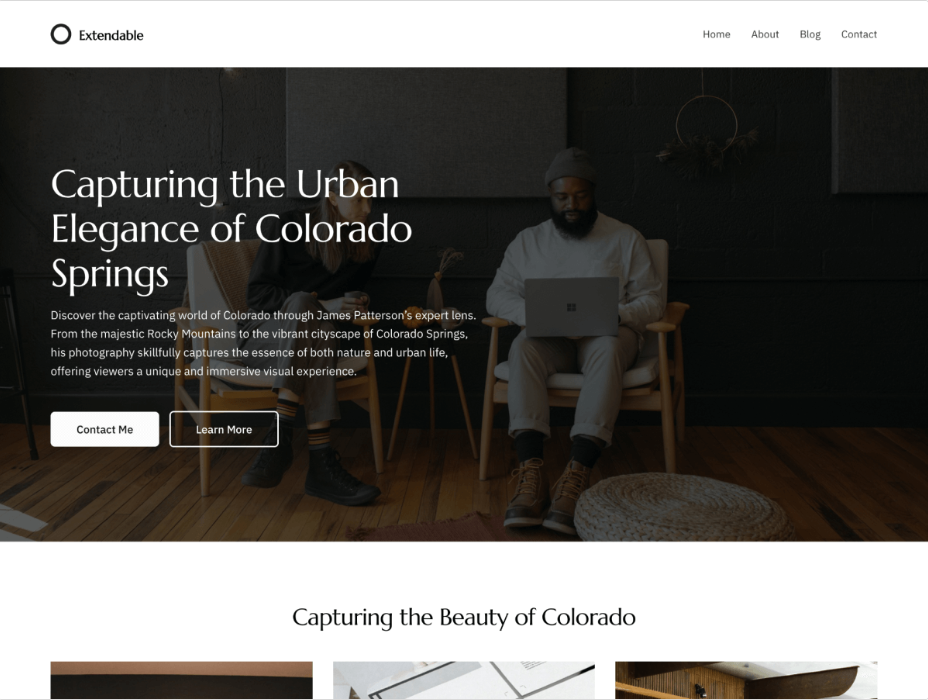
Extendable is a minimalist block theme focused on simplicity and performance. It provides a clean foundation for building fully customized websites. The theme includes essential patterns and works seamlessly with WordPress blocks.
Its lightweight structure ensures fast loading and strong SEO performance. It is ideal for users who prefer building designs from scratch.
Best Use Cases
- Developers building custom websites
- Minimalist portfolio sites
- Advanced bloggers
- Projects needing high performance
- Custom design-focused websites
Pros
- Lightweight and fast
- Clean and flexible foundation
- Strong SEO performance
- Developer-friendly
- No unnecessary features
Cons
- Not beginner-friendly
- Limited pre-built patterns
- Requires more setup time
- Minimal documentation
- Basic default design
10. Bricksy
(Source: WordPress)
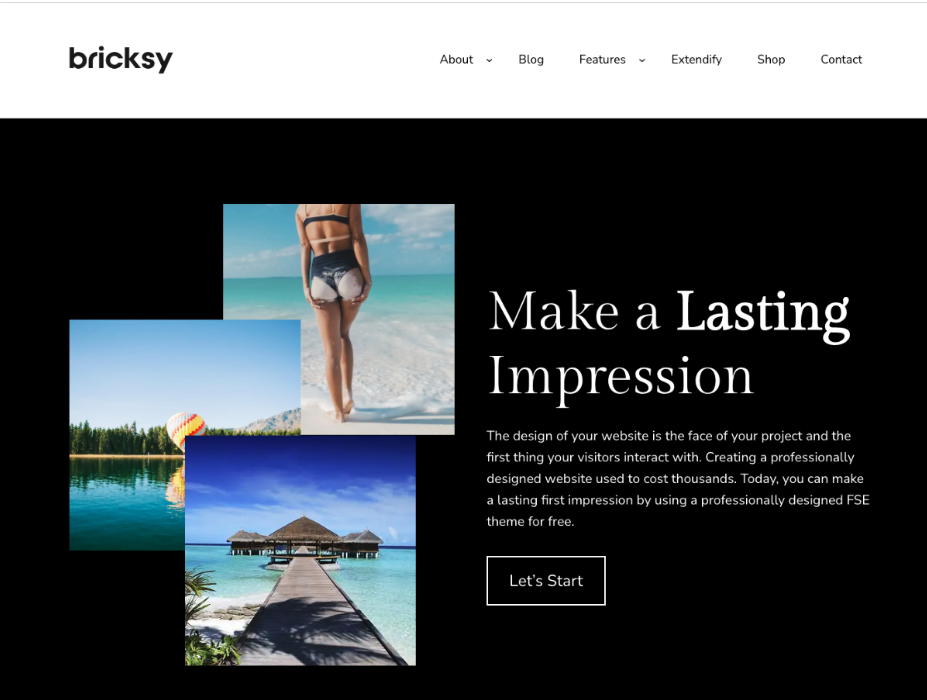
Bricksy is a modern block theme designed for creative and lifestyle websites. It offers 9 style variations and a wide range of block patterns.
The Pro version includes over 110 patterns across niches like travel, food, and fashion. The theme is WooCommerce compatible and optimized for performance. It focuses on combining aesthetics with usability.
Best Use Cases
- Lifestyle and travel blogs
- Food and fashion websites
- Wedding and photography businesses
- Creative portfolios
- Boutique eCommerce stores
Pros
- Visually appealing modern design
- Multiple style variations
- Niche-specific pattern categories
- Fast and responsive
- Good balance of design and performance
Cons
- Best features in the Pro version
- Limited to corporate websites
- Smaller user base
- Premium pricing for full access
- A pattern-heavy approach may limit flexibility
How to Choose the Right Block Theme
Selecting the perfect block theme for your website requires considering several important factors:
Performance Considerations
Speed is non-negotiable in 2026. Look for themes built with clean code, minimal CSS, and optimized loading. Test themes on Google PageSpeed Insights before committing. Block themes should score higher than classic themes because they generate cleaner HTML and load fewer scripts.
Check if the theme loads JavaScript and CSS conditionally, only when needed by specific blocks. This approach, used by themes like Spectra One, significantly improves performance.
Design Flexibility Needs
Evaluate the number and variety of block patterns included. More patterns give you more starting points and save design time. Look for patterns specific to your website type, such as business, blog, portfolio, or eCommerce.
Check how many style variations are included. Style variations let you completely change your site’s look with one click, which is useful for testing different design directions or seasonal refreshes.
Support and Documentation
Even with intuitive visual editors, you’ll occasionally need help. Look for themes with active support forums, comprehensive documentation, and video tutorials. Themes from established developers (like Automattic, Themeisle, or Brainstorm Force) typically offer better support.
Check the theme’s update frequency. Regular updates indicate active development and compatibility with the latest WordPress versions.
Free vs Premium Options
Free block themes work well for personal blogs, simple websites, and testing purposes. They’re perfect for learning FSE and experimenting with block-based design.
Premium themes are worth the investment if you need advanced WooCommerce features, more block patterns, dedicated customer support, and regular updates. For business websites and online stores, a premium theme can save significant time and provide more professional results.
Many themes offer both free and premium versions. Start with the free version to test functionality and upgrade if you need additional features.
Need Help Implementing a Block Theme?
Choosing the right block theme is only the first step. To get the best results, the theme should be properly configured, optimized for performance, and tailored to your business goals. While Full Site Editing makes customization easier, businesses often require advanced functionality, custom block patterns, WooCommerce integration, and SEO-focused optimization.
Working with an experienced WordPress development company in Calicut can help streamline the process and ensure your website is built for scalability, speed, and long-term growth. Whether you’re launching a new website or migrating from a classic theme, professional guidance can help you make the most of WordPress Full Site Editing capabilities
Conclusion
Full Site Editing is shaping the future of WordPress by making website design more accessible and flexible. Block themes play a crucial role in this shift, allowing users to create complete websites using a visual, block-based approach.
The themes listed above offer a variety of features and capabilities, catering to different types of users and projects. Whether you are building a simple blog or a complex business website, there is a block theme that can meet your needs.
By understanding your requirements and choosing the right theme, you can take full advantage of FSE and create a modern, high-performing website that stands out in 2026 and beyond.