

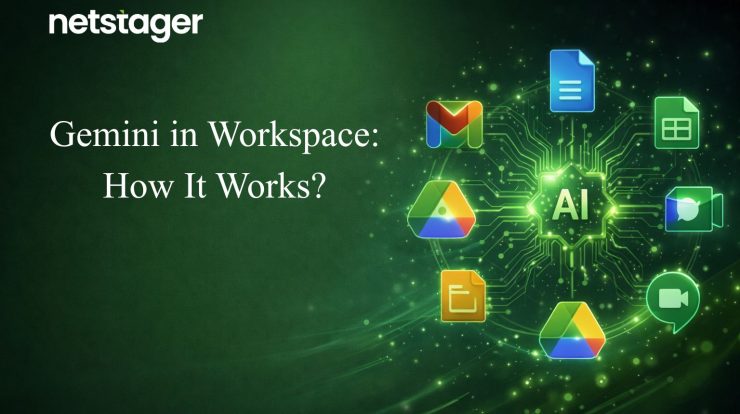
Google Workspace has always been built for collaboration, but with Gemini, productivity has increased a lot. Gemini is Google’s AI that works directly inside your everyday tools like Gmail, Docs, Sheets, Slides, Meet, and Drive. Instead of switching between apps or starting from scratch, you get smart assistance right where you already work. Whether you’re writing, organizing, or presenting, Gemini is there to help your workflow run faster and smarter.
Contents
Use of Gemini in Google Workspace
Gemini in Sheets
Managing data in spreadsheets can get overwhelming quickly. Gemini in Google Sheets makes it easier by helping you set up, sort, and structure your data without manual effort. The “Help me organize” feature lets you describe what you need in plain language, and Gemini builds it for you, saving hours of formatting and formula work.
➢ Use the “Help me organize” feature to instantly create structured tables from a simple description.
➢ Generate formulas and data summaries without needing advanced spreadsheet knowledge.
➢ Sort, filter, and clean up messy data with a quick prompt, no manual work needed.
Gemini in Gmail & Docs
Writing emails and documents takes up a significant amount of the workday. ‘Skip the struggle’ – Gemini in Gmail and Docs writes with you from word one. With the “Help me write” feature, you can give a short prompt, and Gemini will generate a complete, well-structured response, whether it’s a professional email or a detailed document. You stay in control and just refine from there.
➢ Use the “Help me write” feature in Gmail to draft emails quickly, just describe your intent, and Gmail does the rest.
➢ In Docs, the “Help me write” feature helps you create first drafts, reports, and proposals in seconds.
➢ Rewrite, shorten, or adjust the tone of existing content with a single click.
Gemini in Slides
Anyone can throw slides together, but getting them to actually look good is where all the time and creativity matter. Gemini in Google Slides takes the effort out of it. The “Help me visualize” feature generates AI-powered images directly inside your slides, so your presentations feel polished, structured, and professional rather than approaching a designer.
➢ Use the “Help me visualize” feature to generate custom images that match your slide content.
➢ Create on-brand slides by pulling context from your existing files and branding.
➢ Speed up deck creation with AI-suggested layouts, visuals, and content.
For more details, you can check out Google’s official guide on Gemini in Slides
Gemini in Google Meet
Keeping up with meetings, especially back-to-back ones in a particular day, can be tough, especially when you miss out on the points to be noted. Gemini in Google Meet helps you stay on top of every conversation. The “Take notes for me” feature automatically captures key points during a meeting, so you never have to worry about missing something important while you’re focused on the discussion.
➢ “Take notes for me” feature automatically records meeting highlights and action items in real time.
➢ Get a meeting summary if you join late; there’s no need to ask others to catch you up.
➢ Live translated captions help break language barriers in international meetings.
Gemini in Drive
Finding the right file in Drive used to mean a lot of searching and clicking. With Gemini now built into Drive, that changes. The “Ask Gemini” feature lets you ask questions across your files and get direct, summarized answers without having to open each document one by one.
➢ Use the “Ask Gemini” feature to search across multiple files and get instant, summarized answers.
➢ Compare documents, contracts, or proposals side by side with a single prompt.
➢ AI Overviews in Drive search give you a quick summary at the top of your results, just like Google Search.
How Gemini in Workspace Improves Productivity
Automate Tasks with AI Agents
Repetitive tasks like drafting emails, filling in spreadsheets, or formatting documents take up more time than they should. Gemini’s AI agents can handle these automatically, as they work across multiple Workspace apps in one go.
➢ Describe what you need, and the agent takes care of all the steps, no manual effort required.
➢ AI agents understand context and act on it across apps, not just within a single tool.
➢ Frees up your team to focus on work that actually needs human thinking.
Make Meetings More Productive with AI
Meetings are more useful when everyone walks away knowing what was discussed and what happens next. Gemini in Meet automatically takes notes and captures in real time.
➢ Automatically summarizes key decisions so you don’t need to assign a note-taker.
➢ Catch up instantly with a meeting summary if you joined late.
➢ Live translated captions make collaboration smoother across different languages and time zones.
Create Images & Videos Instantly with AI
You no longer need a design team to create polished visuals. With Gemini built into Slides and Google Vids, you can generate custom images and full videos, complete a script and voiceover in minutes.
➢ Just describe what you want, and Gemini builds it, no design skills needed.
➢ Ideal for creating marketing content, training videos, or client presentations quickly.
➢ No need to rely on external tools or resources; everything is built into Workspace.
Get Instant Insights with NotebookLM
NotebookLM lets you upload your documents, reports, or research, and ask questions to get clear, sourced answers instantly instead of spending hours reading through files.
➢ Ask questions across multiple documents and get answers with source references.
➢ Especially useful for legal teams, researchers, and anyone working with complex documents.
➢ Cuts down research time significantly, gets the insight you need without opening every file.
How to Activate Gemini in Google Workspace
Getting Gemini up and running in your Workspace is straightforward. Here’s what you need to know before getting started.
Basic Requirements
➢ You need an active Google Workspace Business or Enterprise plan
➢ Gemini is not available on personal Gmail accounts or free Google accounts
➢ Admin access is required to manage and configure Gemini features for your organization
➢ No separate Gemini add-on purchase is needed; it is now part of all eligible Workspace subscriptions.
➢ Features available to you depend on which Workspace plan you are on
Gemini Features by Plan
➢ Business Starter: Limited Gemini access; restricted to just 5 prompts a day with the standard model, no side panel access in Gmail or Docs
➢ Business Standard and above: Full access to Gemini side panels across Gmail, Docs, Sheets, Slides, Drive, and Meet
➢ Enterprise plans: Advanced controls, higher usage limits, and additional AI features
How to Turn It On
➢ Sign in to your Google Workspace Admin Console
➢ Go to Apps → Google Workspace → and locate the relevant app (Gmail, Docs, etc.)
➢ Gemini features are enabled by default; admins can turn specific features on or off as needed
➢ Admins can also control access to the Gemini app, NotebookLM, Google Vids, and meeting note-taking features separately in Google Workspace
Pricing: Full breakdown of plans, check out the official Google Workspace pricing.
<
Ready to Get Started with Google Workspace?
Switching to or setting up Google Workspace is easier when you have the right support. Netstager Technologies is an authorized Google Workspace Partner, helping businesses set up and scale with ease.
Here’s what you get while partnering up with Netstager Technologies:
➢ Account setup and user onboarding
➢ Secure workspace migration from any platform
➢ Mobile device integration
➢ Ongoing technical assistance
➢ Aligning Workspace with your existing workflows
As a Certified Google Workspace Reseller in India, Netstager also provides licensed access to Workspace plans along with ongoing account support. Working with a certified partner can help reduce IT, maintenance, and management costs over time while keeping your business running efficiently.
If your business is still on the fence about Google Workspace, this is the right time to make the move. AI is already built into every app, and the sooner your team gets on board, the faster you’ll see the difference in how work gets done. Also, migration doesn’t feel like a challenge when you partner up with Netstager. Our team will assist you with the entire process of migrating to Google Workspace from any platform, whether it’s Microsoft 365, Zoho, or any other productivity suite, without disruption.
Beyond Automation: Google Workspace Benefits
Google Workspace is more than just AI. It was built to make everyday work simpler, faster, and more connected. Benefits that every Workspace user gets, regardless of the plan.
1. Real-time collaboration across teams
➢ Multiple people can edit the same file simultaneously
➢ Comments and suggestions are visible to the whole team
➢ No need to merge different versions manually
2. Access Your Files from Anywhere
➢ Files are stored securely in Google Drive and accessible from any device
➢ No need to carry USB drives or worry about losing local files
➢ Offline mode lets you work even without an internet connection
3. No Third-Party Meeting Apps
➢ Google Meet is already part of Workspace, so you can start or join a meeting directly from Gmail, Calendar, or any Workspace app.
➢ Screen sharing, recording, and captions are all built in
➢ Works across desktop, tablet, and mobile without extra downloads
4. Email with Your Own Domain
➢ With Workspace, your team gets business email addresses on your own domain, like [email protected], powered by Gmail’s reliable interface.
➢ Includes spam protection, filters, and smart inbox features
➢ Backed by Google’s security and 99.9% uptime guarantee
5. Apps That Work as One
One of the top advantages of Google Workspace is how well everything connects. Gmail, Drive, Docs, Sheets, Slides, Meet, and Calendar all work together,
➢ Attach Drive files in Gmail without leaving your inbox
➢ Schedule a meeting directly from Google Calendar
➢ Open and edit Docs from Drive without downloading anything
With this, you spend less time switching between tools and more time working.
