



Today, trust plays a critical role in determining whether a visitor becomes a customer. Many e-commerce merchants are ignoring cart abandonment as if it were not a real thing.
A study conducted by Baymard Institute identified that the cart abandonment rate had reached 70% in 2025 compared to previous years. One of the major reasons is the countless online stores offering similar products and pricing.
Shoppers often rely on trust signals, such as reviews, ratings, and brand credibility, before making a purchase decision. A lack of trust can lead to hesitation, cart abandonment, and lost revenue.
To help retailers overcome this challenge, Google has introduced the Store Widget. This is a feature designed to display verified store quality information directly on a retailer’s website. Let’s explore more about this new program and why it matters for your business.
Contents
What Exactly Is Google’s Store Widget
Google’s Store Widget is an official trust indicator provided by Google that retailers can embed on their websites. It pulls data from Google’s systems, such as customer reviews, store ratings, and service-related signals. This information is then presented on your website in a clean and user-friendly widget format.
The primary purpose of the Store Widget is to help shoppers quickly understand the quality and reliability of an online store. Instead of searching for reviews on third-party platforms or leaving the site to verify trustworthiness, users can see all essential credibility indicators in one place.
The widget reflects Google’s assessment of a store’s performance based on factors like:
- Customer satisfaction
- Ratings and reviews
- Shipping reliability
- Return and refund experiences
- Overall service quality
By showcasing trusted data such as customer ratings, reviews, and service performance, the widget helps shoppers feel more confident and reassured. As a result, businesses can improve user engagement, strengthen brand credibility, and significantly boost conversion rates.
The Three Tiers in Google’s Store Widget
Google has structured the Store Widget into three distinct tiers, each representing a different level of store quality and performance. The tier a retailer receives depends on its overall customer experience, ratings, and reliability signals.
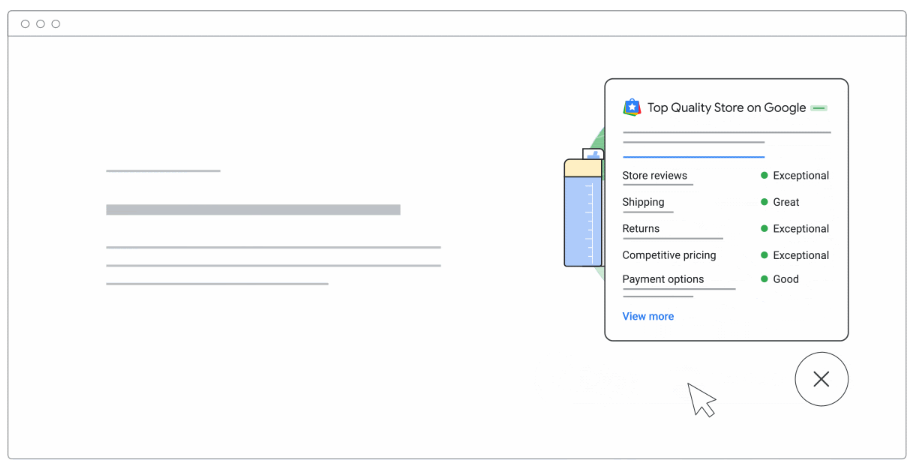
First Tier: Top Quality Store Widget
The Top Quality Store Widget is the highest recognition level offered by Google.
 (Source: Google Search Central)
This tier is awarded to retailers who consistently deliver an excellent shopping experience. Stores in this category demonstrate strong customer satisfaction, reliable service, and high-quality operations.
Key characteristics include:
- High customer ratings and positive reviews
- Consistent performance across shipping, returns, and customer support
- A strong reputation for reliability and transparency.
For shoppers, this widget acts as a powerful trust badge, signaling that the store meets Google’s highest quality standards. For businesses, it helps differentiate the brand from competitors and encourages faster purchasing decisions.
Second Tier: Store Rating Widget
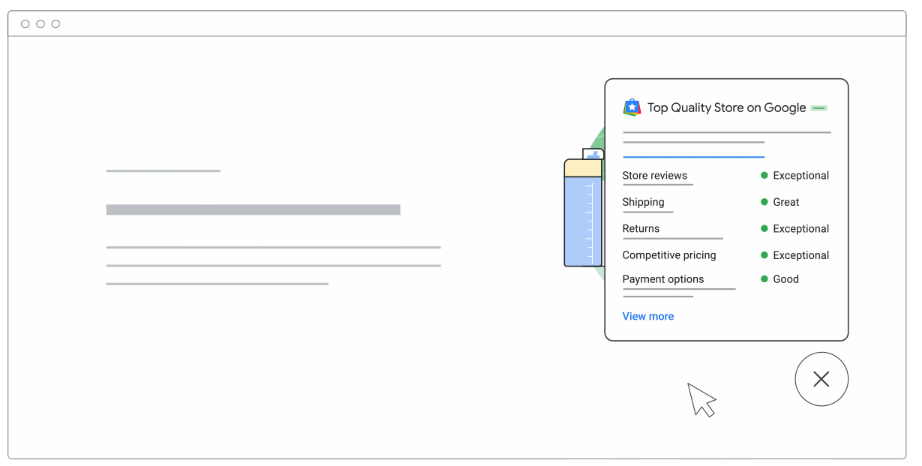
The Store Rating Widget is designed for retailers with solid customer feedback but who may not yet qualify for top-tier status.
 (Source: Google Search Central)
This widget primarily highlights:
- The store’s overall Google rating
- Customer review scores
- General satisfaction levels
While it may not include all advanced trust signals, it still provides valuable reassurance to users. Shoppers can quickly assess whether previous customers have had positive experiences, making it especially useful to evaluate multiple stores before buying.
Third Tier: Store Quality Widget
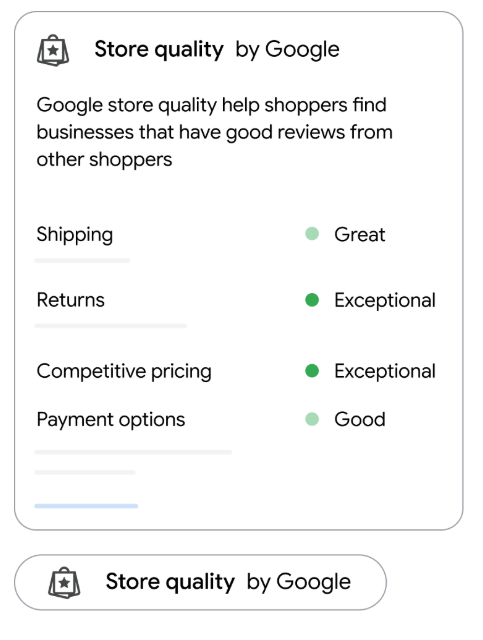
The Store Quality Widget is the entry-level tier and is ideal for newer or growing retailers.
 (Source: Google Search Central)
It focuses on:
- Basic store quality indicators
- Foundational trust signals
- Early-stage credibility building
This tier ensures that even stores with limited review history can benefit from Google-backed validation. It helps new businesses establish trust from the beginning and provides a clear path for growth toward higher tiers as customer feedback improves.
Benefits of Using Google’s Store Widget
Implementing Google’s Store Widget offers multiple advantages for online retailers. Below are six key benefits, explained in detail:
1. Builds Instant Customer Trust
One of the biggest advantages of the Store Widget is its ability to create instant trust. Because the information is verified and provided by Google, shoppers are more likely to believe it. This reduces skepticism, especially for first-time visitors unfamiliar with the brand.
2. Boosts Conversion Rates
Trust directly influences buying behavior. When shoppers feel confident about a store’s reliability, they are more likely to complete purchases. The Store Widget helps remove uncertainty, leading to higher conversion rates and fewer abandoned carts.
3. Enhances Brand Credibility
Being associated with Google adds authority to your brand. The Store Widget signals that your business meets Google’s quality expectations, which strengthens brand perception and positions your store as reliable and professional.
4. Improves User Experience
By displaying essential information such as ratings and service quality directly on your site, users don’t need to leave your website to verify credibility. This keeps visitors engaged, reduces bounce rates, and improves overall user experience.
5. Supports New and Growing Businesses
The tiered system ensures that businesses at different stages can benefit. Even stores with fewer reviews can display quality indicators, helping them compete with established brands and build trust early.
6. Encourages Better Business Practices
Since higher tiers depend on performance and customer satisfaction, the Store Widget motivates retailers to improve service quality. Better shipping, clearer return policies, and responsive customer support become business priorities.
How to Add Google’s Store Widget
Adding Google’s Store Widget to your website is a quick process and usually takes just a few minutes. You’ll need access to your website’s HTML files or help from a developer or someone who manages your website content.
Here’s how it works in simple terms:
- Access Your Website’s HTML
Log in to your website’s backend or content management system, where you can edit the HTML. You can either apply the widget to all pages or choose a specific page where you want it to appear. - Check the Page Structure
Make sure the page starts with a standard HTML declaration (<!DOCTYPE html>). If it’s missing, no worries. It can be safely added without affecting how your website looks. - Add the Widget Script
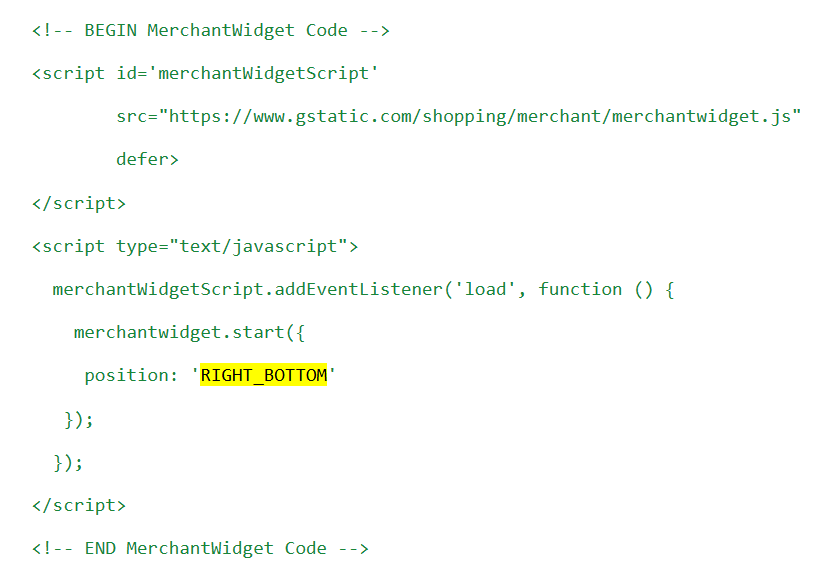
Google provides a small script that needs to be placed inside the head section of your webpage. This script allows the Store Widget to load properly. - Choose Widget Position
By default, the widget appears at the bottom-right corner of your website. However, you can easily change its position, such as moving it to the bottom-left, depending on your website layout. - Adjust Spacing (Optional)
You can customize the position or how close the widget appears to the edges of the screen.
 (Source: Google Search Central)
This includes different spacing options for desktop and mobile views, helping the widget fit neatly into your design without blocking content.
- Save and Publish Changes
Once the script is added and settings are adjusted, save your changes and publish them. The widget will begin displaying automatically. - Automatic Updates
After installation, the Store Widget updates on its own based on your store’s performance and customer feedback. No manual updates are needed.
Additionally, the Store Widget works worldwide. You can choose to show store insights for a specific region, or let Google automatically display information based on the shopper’s location.
Conclusion
Google’s Store Widget is more than just a visual badge. It is a strategic trust-building tool that helps online retailers strengthen credibility and increase conversions. By displaying verified store quality signals directly on your website, you make it easier for customers to trust your brand and move forward with confidence.
Whether you are an established retailer aiming to stand out or a growing business looking to build trust, Google’s Store Widget provides a valuable opportunity to improve customer experience, drive sales, and create long-term brand loyalty.
